


Kinzoo: Fun All-Ages Messenger
4.7887.00 Reviews
App Specs
- Version
- 9.6.7-Google-release86776
- Updated On
- License
- Free
- Downloads
- 1,000,000+
- Developer
- Kinzoo Technologies Inc.
- Categories
- Social
- Platform
- Android, iOS
Screenshots


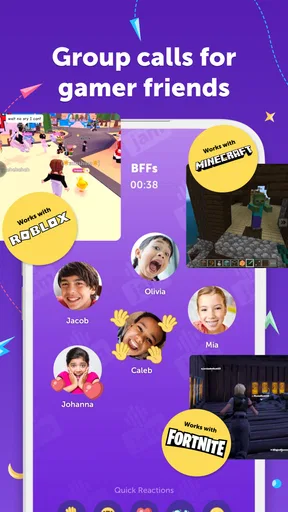

 Analysis by AppCompare
When I choose a messaging app for a family, I care about more than whether a message gets through. I want a space that feels manageable for younger users without turning every conversation into a chore for adults. Kinzoo: Fun All-Ages Messenger is built around that kind of family use, combining communication with creative activities rather than trying to be another wide-open social network.
What free access does—and does not—tell you
Kinzoo is free to download, and the app is rated Everyone. It also offers in-app purchases, with listed items ranging from $0.99 to $49.99. I would treat those as a reason to check the purchase details in the app and agree on household rules before a child starts exploring, not as proof that any particular feature is locked behind a payment. Free access makes it easy to try the basic experience, while the value of optional purchases depends on what your family actually wants to use.
That distinction matters with children’s apps. A free download is useful only if the everyday experience suits your family, and a purchase is worthwhile only if it adds something you will use. I’d begin with messaging and the activities that interest your child, then decide whether spending anything makes sense. There is no need to assume that a larger purchase is necessary just because the app includes a range of optional prices.
A family routine, not another public feed
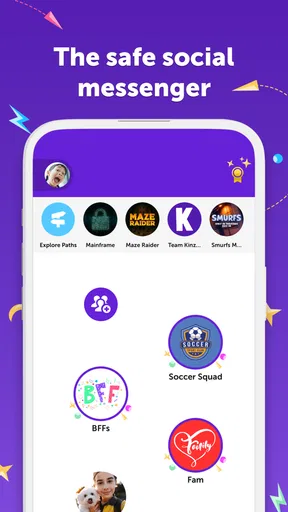
The clearest reason to consider Kinzoo is that its social experience is shaped around known family connections. A family group can give relatives a shared place to exchange messages, while approved contacts help keep a child’s conversations within boundaries chosen by adults. That makes it a different proposition from a mainstream social network, where a broader audience and public-facing discovery can become part of the experience.
Picture a busy weekday: one parent is finishing work, a child wants to tell a grandparent about a drawing, and another relative is checking in from elsewhere. A shared family space gives them a convenient place to do that without asking the child to manage separate conversations across several adult-oriented apps. The practical benefit is not a more elaborate chat; it is having a familiar destination for small updates and creative sharing.
A useful setup habit is to agree on the contact circle before inviting a child to use the app. That gives adults a chance to explain who is included and why, rather than making contact approval feel like a surprise restriction later. It also helps relatives understand that the app is meant to support family communication, not serve as a general-purpose invitation to message a child.
How the activities change the feel of messaging
Stories and creative prompts give children a way to start a conversation when “What did you do today?” gets a one-word answer. A child might respond to a prompt, share an idea, or use a drawing challenge as a reason to show something they made. That turns the app into a conversation starter, which can be more useful for younger kids than a blank chat window that expects them to know what to say.
Worth Reading Before You Choose

EA SPORTS FC Mobile 26 Is a Bigger Football Game, but It Takes Time

Flipboard Shows What News Apps Must Do Beyond the Feed

Switching to Android Auto Means Rethinking Your Driving Routine

Google Calendar Makes a Crowded Week Easier to Manage

Ludo King Makes the Most of the Minutes Between Plans

Baby Panda World Brings Quick Play to Modern Phones, but Its Game Library Feels Busy
For parents, the trade-off is that activities can also compete for attention. If a child only needs a quick way to send a message, extra content may be unnecessary. I’d use the creative parts deliberately: pick an activity as a shared family moment, or let a child show a relative what they made, rather than expecting every feature to become part of the daily routine. This keeps the app’s playful side useful without making it feel like another stream of tasks.
Where it fits among familiar alternatives
Compared with a standard messaging app, Kinzoo puts more emphasis on a child-friendly setting, family groups, and guided creative interaction. A regular messenger may be the better choice for adults who need to coordinate work, share files, or keep all their existing conversations in one place. Kinzoo is more appealing when the goal is to give a child a dedicated way to connect with relatives and approved friends.
It is also not a substitute for every kind of social experience. Older children who want the broader features and independence of mainstream social platforms may see its more focused design as restrictive. I consider that a genuine trade-off rather than a flaw: the same limits that may feel reassuring to a parent can make the app feel less compelling to a teenager seeking a wider network.
Who is likely to get the most from it?
I’d put Kinzoo on the shortlist for families with younger children who want to keep conversations close to home and give relatives an easy way to stay involved. It can also suit households where family members live apart and need a shared, approachable place for little updates, stories, and creative exchanges. Its Everyone age rating describes the store’s content classification; parents should still decide whether the app’s setup and social experience suit their own child.
I would skip it if your family already has a comfortable, age-appropriate way to communicate and has no interest in a separate family-centered app. It may also be a poor fit for a teen who values a broad social network, or for an adult looking for a work messenger. In those situations, the focused design is unlikely to offer enough advantage to justify adding another app to everyone’s phones.
What I would check before inviting the family
Before getting started, I’d make sure the adults who will help manage the experience are on the same page about contacts and purchases. That small conversation can prevent confusion later, especially if a child uses the app at more than one household. I’d also show the child how to reach the family group and explain what to do if they are unsure about a conversation or activity.
One practical way to judge whether the app is earning its place is to try it for a specific purpose: a family group for regular updates, or creative sharing with relatives. If it makes those exchanges easier, it has a clear role. If family members rarely open it, the app’s extra activities may not be enough to make a second messaging space worthwhile.
First Impressions: A Friendly Invitation
From the moment you fire up Kinzoo, you’re greeted with an inviting interface. It’s colorful without being overwhelming, striking just the right balance to catch a kid’s eye without causing a headache for adults. The registration process is straightforward, designed with simplicity in mind. You don’t have to jump through hoops to get started, which is always a win in my book.
Features That Shine
One of the standout features of Kinzoo is the family-centric design. After all, this isn’t just a place for kids to chat—it’s a hub for families to connect. You can set up family groups, which is great for keeping everyone in the loop, from grandparents to the littlest cousins. Plus, there are no ads or in-app purchases, making it a completely safe space for kids to explore.
The app also includes customizable profiles, allowing kids to express themselves through avatars and status updates. It’s like a mini social network, but with all the safety features you’d want. Parents can breathe a sigh of relief knowing they have control over who their kids talk to, thanks to the robust parental controls.
Engaging Content and Activities
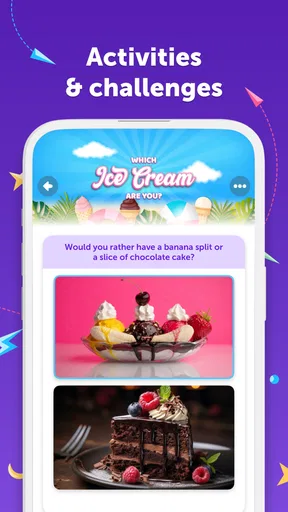
Now, let’s talk about the fun stuff. Kinzoo isn’t just about messaging. It’s packed with engaging content like story prompts, drawing challenges, and interactive quizzes. These activities are designed to spark creativity and encourage kids to share their ideas. And the best part? It’s all done in a secure environment where privacy is prioritized.
- Creative prompts and challenges
- Safe, ad-free environment
- Parental controls and family groups
User Experience: Smooth Sailing
In terms of usability, the app is smooth and intuitive. Kids can navigate it with ease, thanks to its simple layout. Everything is where you’d expect it to be, which minimizes frustration and maximizes fun. The developers clearly put a lot of thought into making the app accessible for all ages.
For parents, the peace of mind provided by the app’s safety measures is invaluable. You can easily monitor interactions and ensure that your kids are interacting only with approved contacts. It’s like having a digital chaperone, ensuring everyone stays safe while having fun.
A Few Considerations
While Kinzoo has a lot going for it, there are a couple of things to keep in mind. The app is primarily geared towards younger users, so older kids might find the features a bit simplistic. Also, because the app is so focused on safety, some might find it a bit limiting compared to more open social networks.
However, if your primary concern is keeping your kids safe online, these limitations are a small price to pay for peace of mind. The app does an excellent job of striking a balance between fun and safety, which is no small feat.
Wrapping It Up: A Digital Playground Worth Exploring
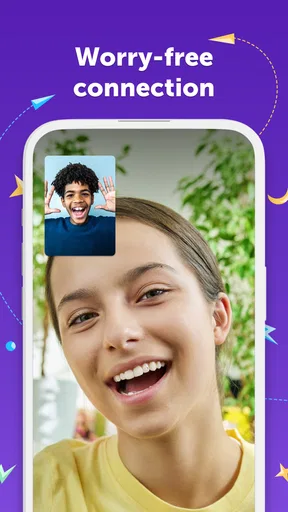
All in all, Kinzoo: Fun All-Ages Messenger is a fantastic option for families looking to maintain a safe and engaging digital presence. It’s not just about messaging; it’s about creating a shared space where everyone can connect and share in a secure environment.
Whether it’s through the creative challenges, the robust safety features, or just the simple joy of staying in touch, this app covers all the bases. So, if you’re on the hunt for a safe and fun messaging app for your family, give Kinzoo a try. You might find that it’s just what you’ve been looking for.
A few details for deciding whether it belongs on your phone
Kinzoo is a social app from Kinzoo Technologies Inc. It has an average rating of 4.7 from around 11 thousand ratings, with more than 1 million installs. That level of uptake suggests many families have tried it, but popularity alone cannot tell you whether its family-centered approach will suit your household. I’d use the app’s focused purpose, rather than its reach, as the main reason to decide.
The current Android release is 9.6.4-Google-release83822, and it supports devices running Android 6.0 or later. If you are setting it up on a child’s device, it is worth checking compatibility before planning a family switch. The app is free to download, while optional in-app purchases range from $0.99 to $49.99 per item; I would review any purchase with the child and the other adults involved so everyone understands what is being bought.
Keeping the experience useful over time
The strongest family apps are the ones that fit a routine without demanding constant supervision or attention. With Kinzoo, I’d start by making the family group a practical destination: a place for a quick hello, a photo or creative contribution, or a message that relatives can answer when convenient. The point is not to create a rule that everyone must check in constantly, but to give children a familiar channel for connection.
It is also sensible to revisit the setup as a child gets older. A service that feels comfortably guided at first may eventually feel too limited, and that is a normal reason to reassess rather than a sign that the app has failed. Parents can talk through what the child wants from messaging and decide whether a contained family tool still meets that need or whether a different option is more appropriate.
My verdict on the value
For me, Kinzoo makes the most sense when a family wants a child-friendly place to communicate and will actually use its groups and creative activities. Free access lowers the barrier to trying it, while the listed purchases mean families should make deliberate choices rather than assume everything is cost-free. Its focused design is a benefit for younger users and a limitation for people who want the openness or broader utility of a conventional messenger.
I’d recommend giving it a try if your aim is to help a younger child stay connected with relatives in a more guided setting. I’d pass if you need a general-purpose messenger, if a teenager wants a much wider social world, or if your household does not want another app to manage. The best reason to choose it is not that it does everything, but that its narrower family focus may make everyday communication feel more approachable.
Pros
- User-friendly interface for all ages.
- No ads
- ensuring a clean experience.
- Supports multimedia sharing
- including videos.
- Strong privacy controls for safe chatting.
- Customizable profiles enhance personalization.
Cons
- Limited to basic messaging features.
- No integration with other social networks.
- Requires internet for all functionalities.
- May lack advanced parental controls.
- No option for in-app games or activities.
FAQs for Kinzoo: Fun All-Ages Messenger
What is Kinzoo, and who is it for?
Kinzoo is a messaging app designed for users of all ages, providing a safe and fun platform for communication. It is particularly suitable for families, allowing children, parents, and grandparents to stay connected. The app emphasizes privacy and security, ensuring that users can communicate freely without concerns about data misuse or exposure to inappropriate content.
How does Kinzoo ensure user safety and privacy?
Kinzoo prioritizes user safety by implementing robust privacy controls. All conversations are encrypted, and the app does not rely on ads, meaning user data is not shared with advertisers. Parents have control over their children's contacts, ensuring that kids can only communicate with approved individuals, making it a trusted choice for family communication.
What features does Kinzoo offer to enhance communication?
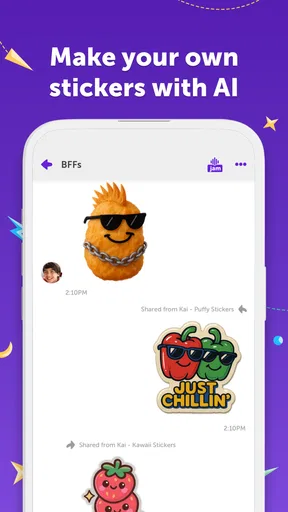
Kinzoo offers a variety of features designed to make communication engaging and enjoyable. Users can send text messages, voice messages, photos, and videos. The app also includes interactive elements like stickers and drawings, which are particularly popular with younger users, adding a creative dimension to messaging that encourages expression and fun.
Is Kinzoo a free app, and are there any in-app purchases?
Kinzoo is a free app, making it accessible to a wide range of users. While the core features are available at no cost, the app may offer optional in-app purchases to enhance the user experience. These could include additional sticker packs or customization options, allowing users to personalize their interactions.
On which platforms is Kinzoo available, and how do I download it?
Kinzoo is available for both Android and iOS devices. Users can download the app from the Google Play Store for Android or the Apple App Store for iOS. Simply search for 'Kinzoo' in the respective store, follow the installation prompts, and enjoy a seamless and secure messaging experience tailored for families.


